
Personalized Recommendations
The process of coming up with the successful recommendation card feature.

What is “Personalization?”
Personalization is all around us… just open Netflix and your screen is flooded with personal recommendations. Open amazon and personalization can be found in the way you are persuaded to buy items. Check out a fitness app like Nike, and you’ll find workout recommendations personalized to your size, level, and goals.
Personalization is a step beyond customization*– it happens in the background. It’s most effective when users don’t even notice it’s happening, but feel like the product is made for them.
*check out this awesome article by Dominique Barbagallo
Why personalize Felmo?
Our mission is to be a Beloved – go-to pet health brand. People should feel like FELMO knows their pet really well. Being a 360 service, and investing in personalization can help that.
We already introduce some personalization tactics into the app, such as using the animal’s name as placeholders in components or recommending different actions based on data entered (ie. body condition score, self-check feedback). However, we do not go beyond these simple integrations… there is room to push it further.
Personalization has been proven to drive retention rates, which is great for business. On top of that, it improves engagement and conversions.
What this case study will show:
I’ll take you through my process, starting with general brainstorming and ending with an implemented solution.
Brainstorming
1. Competitor Analysis
I began by looking at different examples across different apps. I looked at medical (for human) digital products, sport and fitness apps, media consumption apps, and a couple pet-health apps. I normally don’t spend more than an hour or two looking at examples, because I do not want to be overly influenced by a solution already at this point in the process. Looking at others is to build a foundation of status quo, not to jump to the solution space already.
2. What we do currently
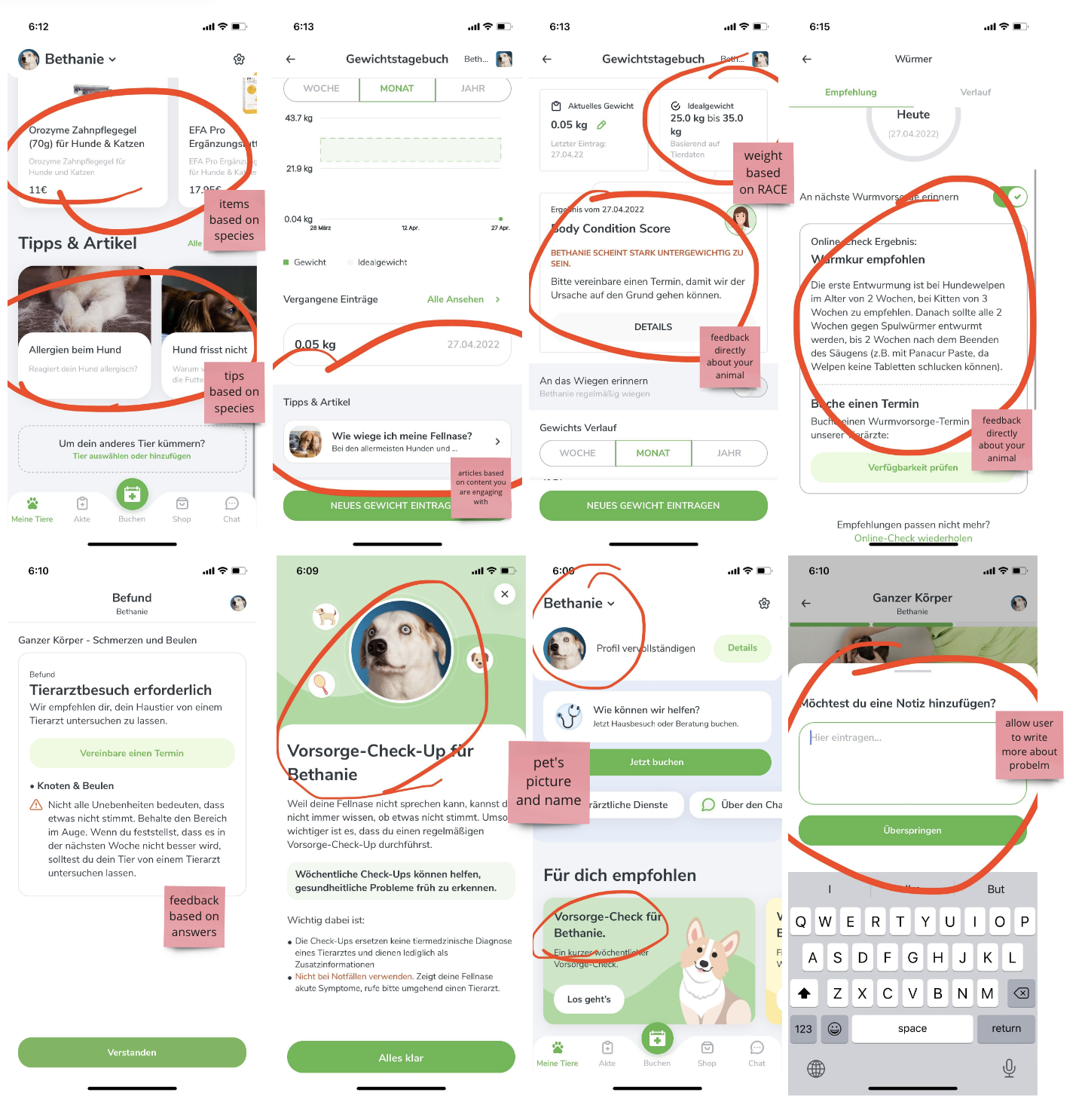
To understand where we currently stand, I opened the app and made an account as a brand-new user. I took screenshots of each place I noticed recommendations and compiled them on my miro board.
3. Idea dump
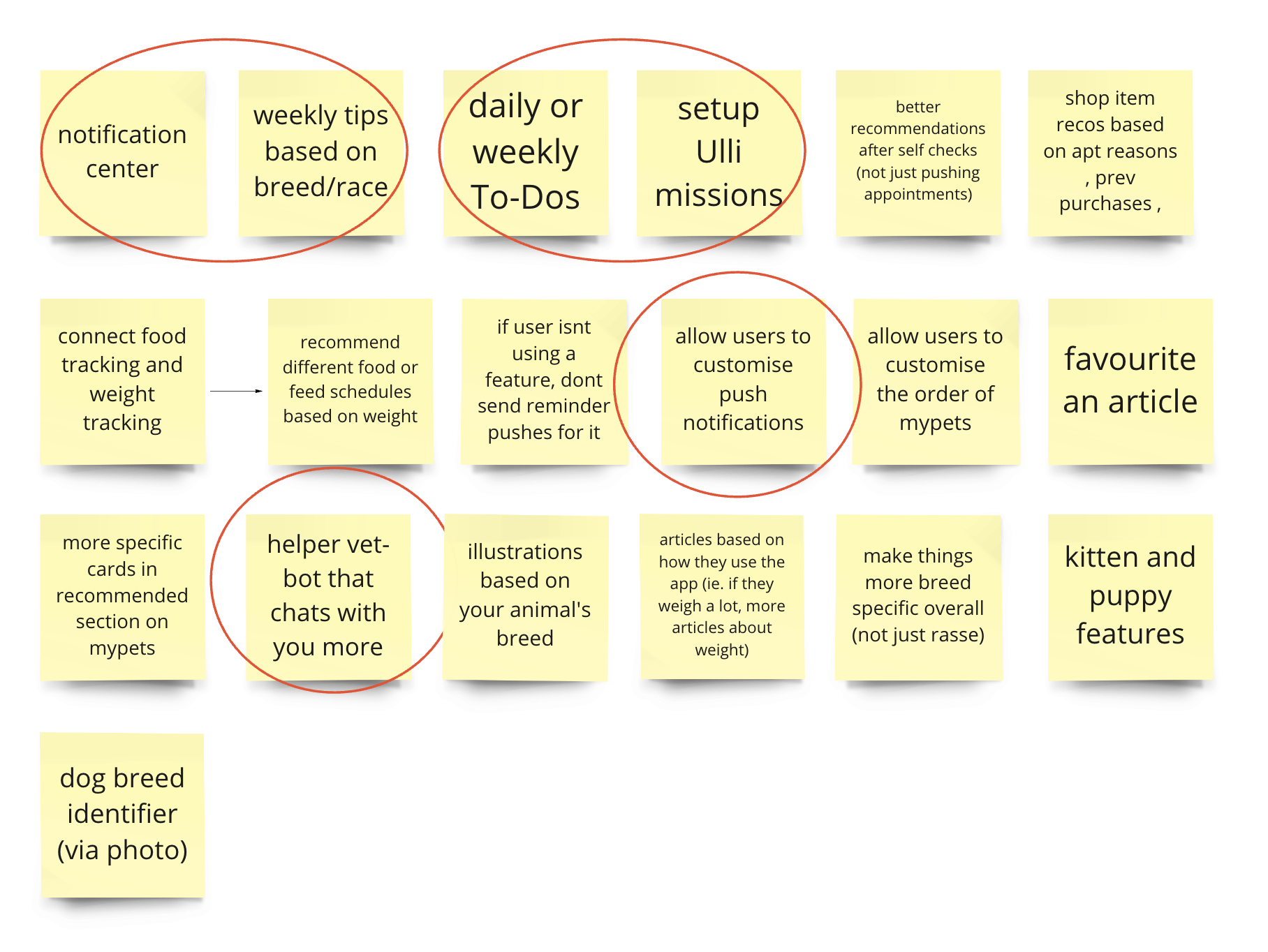
Next thing was to take all the idea directions swimming in my brain and dump them onto a miro board. I spoke with some of my colleagues to get their ideas as well and included them. Once I had quite a few, I circled the ones that I wanted to put my bets on (meaning, the ones that I think would have the most value.)
4. User Survey
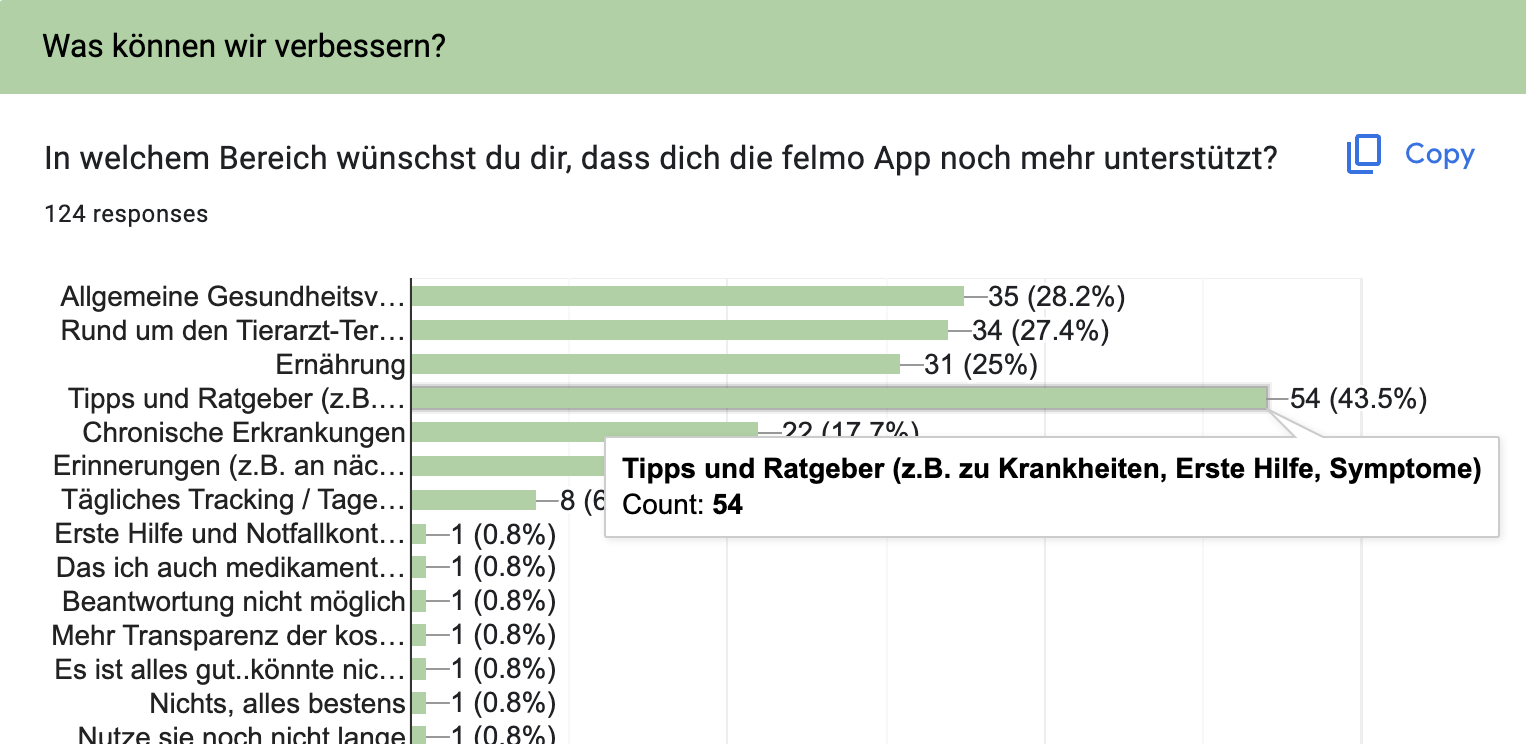
In order to learn more about our users and their needs in the app (so that we can personalize it further), I put together a survey that we could send out. We managed to get 140 responses, and learned that 75% are experienced pet owners and 63% of participants do NOT have a chronically ill pet. Because of this, I realised that building a personalisation feature for chronically ill patients might not be the best idea since it would have such a low reach. In the survey, we asked what we could do to improve the app, and people wished for more health advice, articles, and tips from the vets. I could easily incorporate this feedback into something personal!
Solution discovery: ideas
1. A message center
This idea is multi-faceted:
-
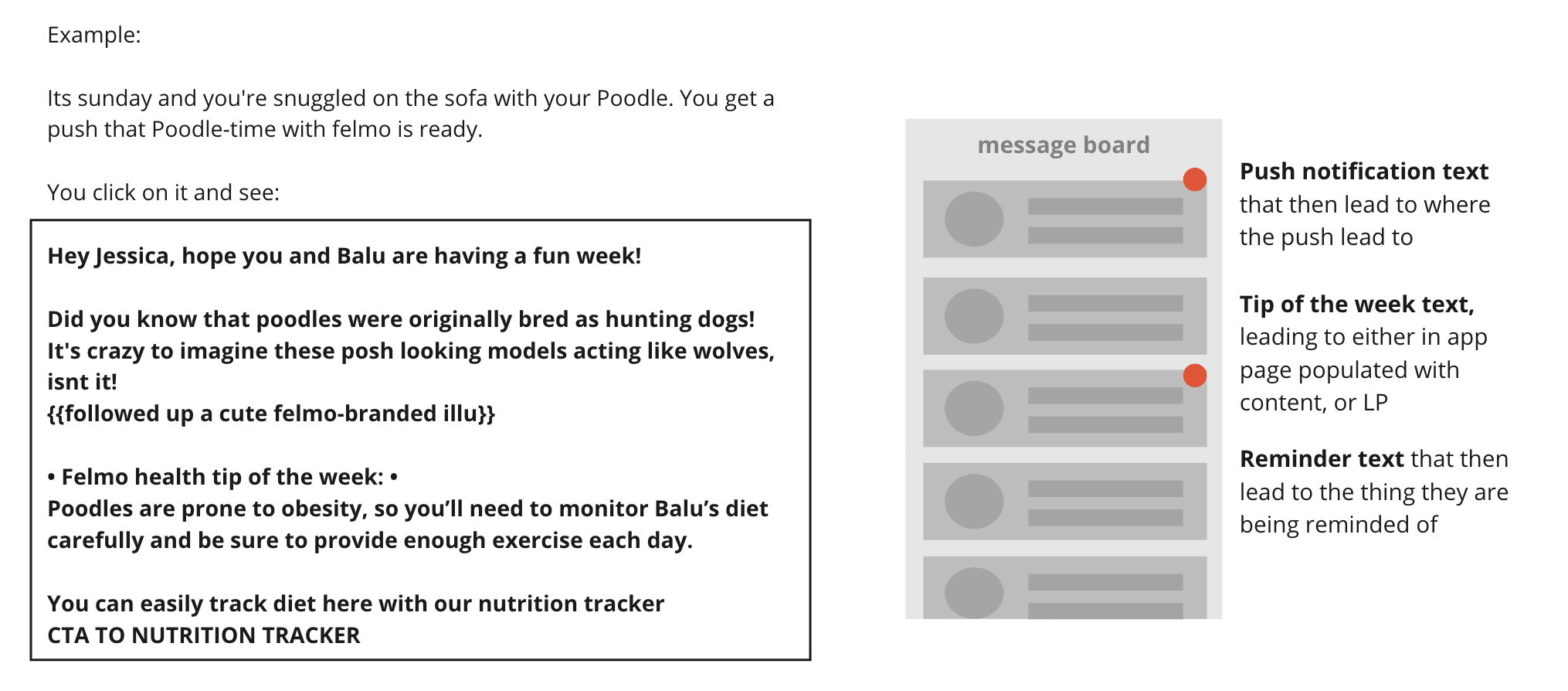
- introduce a notification center (one area that all notifications live in), so that all the (personalised and customised) pushes that we send are in one place.
- Include weekly tips or fun facts for our most popular breeds… so this message center not only contains pushes, but also personalised content.
- IF breeds is too difficult, at least to dog vs cat.
- Another iteration – A vet speaking to the users directly. (Like @thetwocrazycatladies on instagram. love their daily tip content!!)
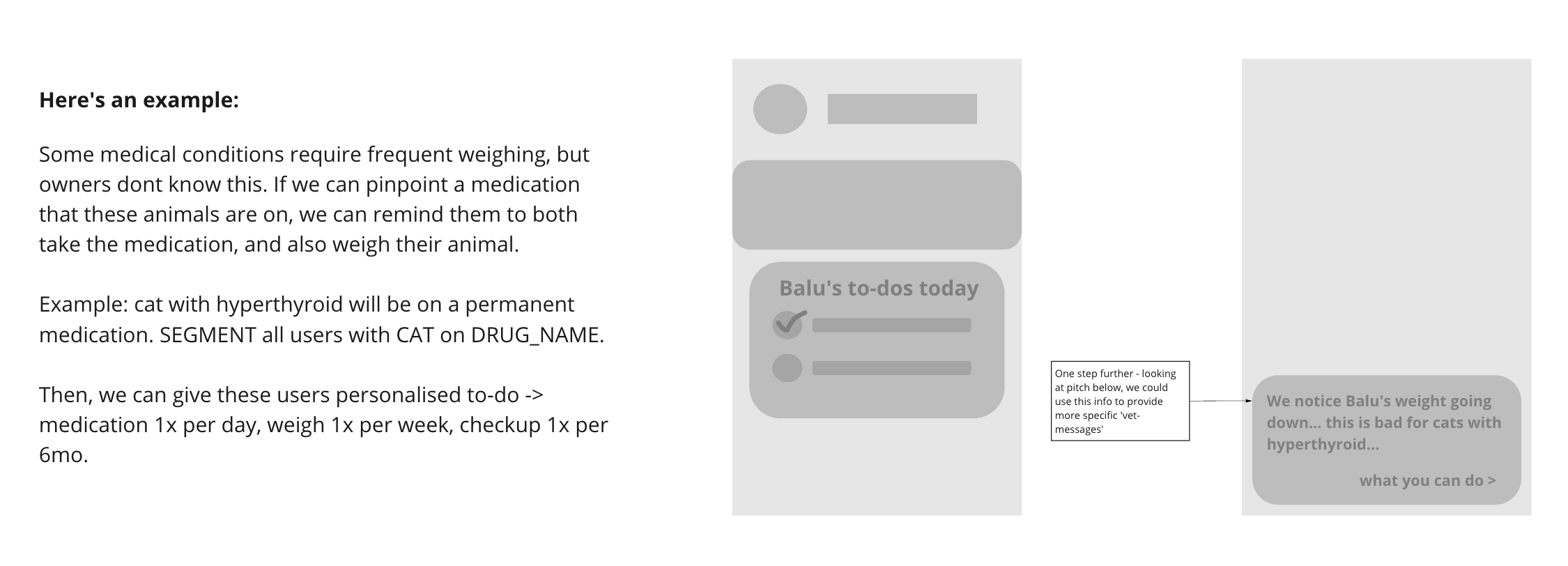
2. To-do section
Based on user’s behaviour in the app, we can recommend them different to-do items.
- First, we need to identify a pattern
- Then, we segment users that have a common identifier, that falls into that pattern.
- Set up a course of ‘to-do’ items for these segments
3. Digital vet ‘helper’
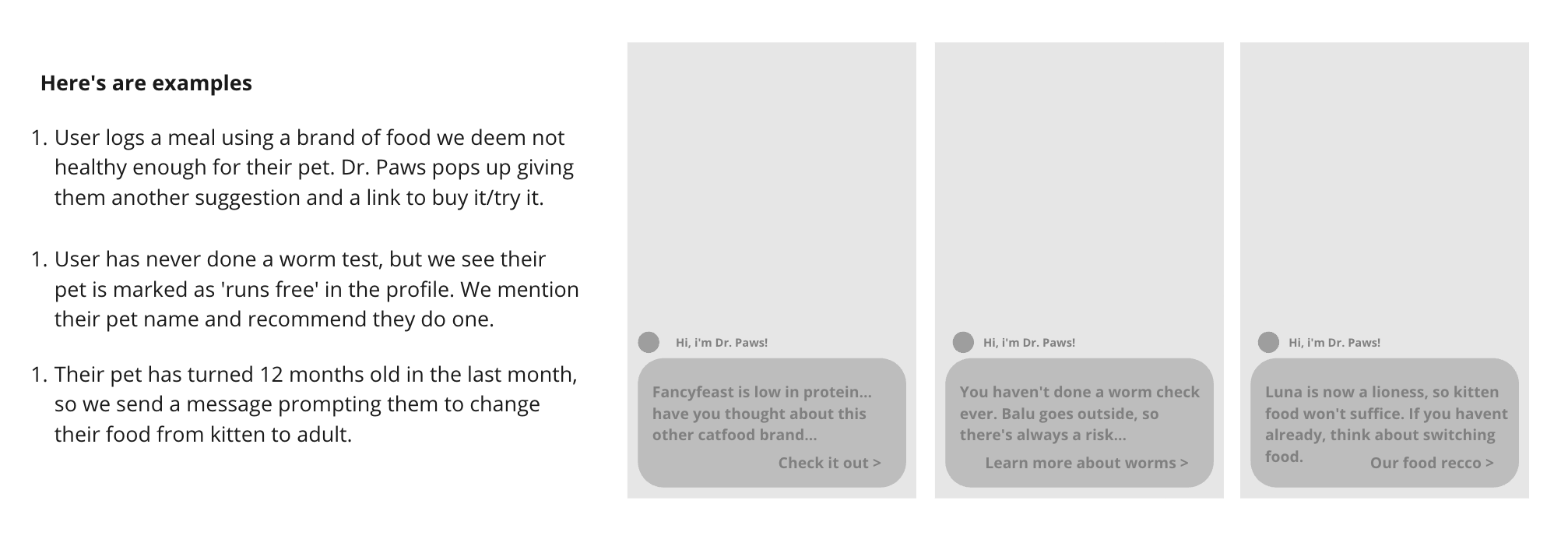
I’ve noticed that a lot of different pet-health websites have a virtual vet-chat, which inspired me to come up with this idea. Instead of just a chat, I imagine this personalisation feature to act like a helper throughout the app. There would be a virtual vet…. so it needs a face/name. ie. Dr. Paws…. and they pop up whenever we notice the user entered something in the app that could benefit from extra information.
4. Better recommendation cards
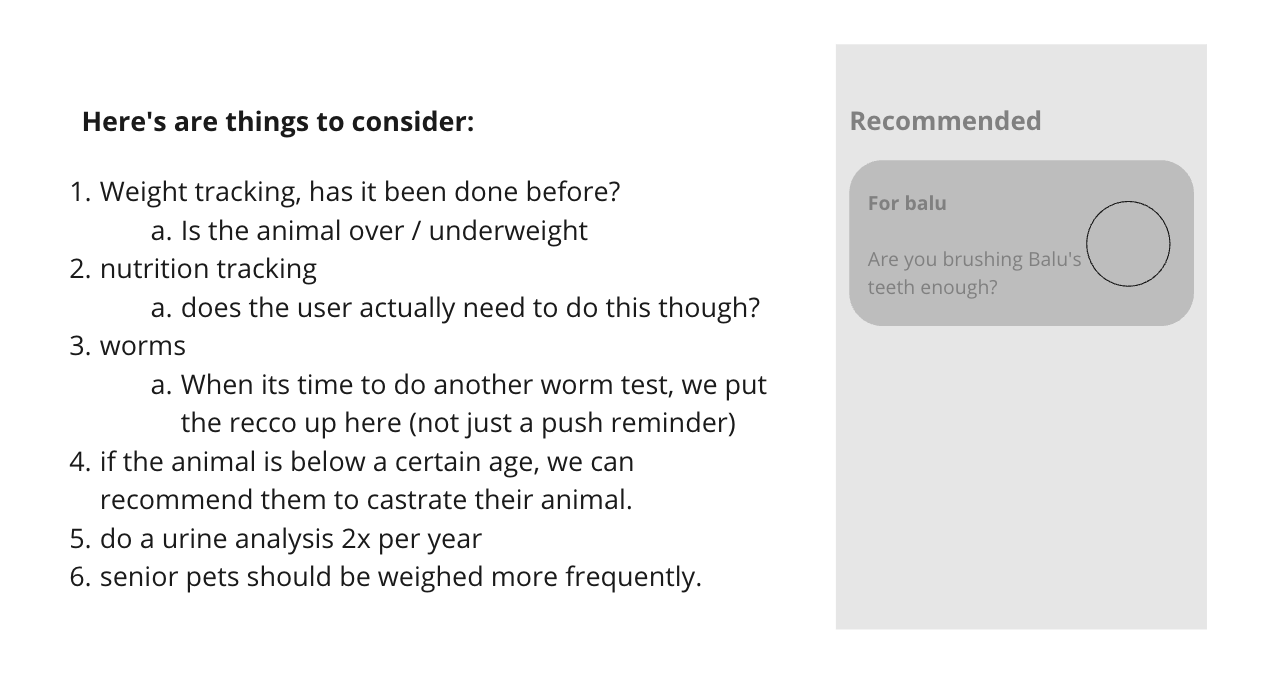
In the latest release, we redid the mypets screen; this includes a new “Recommendations carousel.” We currently only show two recommendations: self-check and worm check. These are shown to everyone and are not at all personal.
Instead, we can use this section to really recommend things that we think the user should do based on their animals. We could also use it to recommend shop items to increase the app-to-shop user group.
Recommendation Cards
The chosen solution: better recommendation cards
The reason we chose this solution is that there is already a foundation (existing recommendation cards), and it’s easy to build on it. We developed a plan:
First: we will create 10 – 12 “cards” per species which will direct them to either an action in the app or a species-related product in the shop. We will create a sense of personalization by showing 4 at a time and then constantly changing them so that something “new” is shown every time they open the app.
Second: if we can prove people are clicking on these cards and finding the recommendations helpful, we will invest more development effort into it so that we can introduce variables to different cards & actions.
Examples of possible constraints:
- Show to only to elderly animals/puppies/etc
- Show IF animal has “x” symptom
- Show IF user has had a vaccination appointment in the last month
- Show IF user has purchased “x” from the shop ever
We need to also add scoring/heuristic behind this, so we can weigh what is the more important card. How?
-> Certain constraints give a ‘point’ which makes it more important.
-> By tracking this along with purchases, we can see what is more relevant to result in bookings/clicking.
-> We build a smart system 🙂 because we are smart.
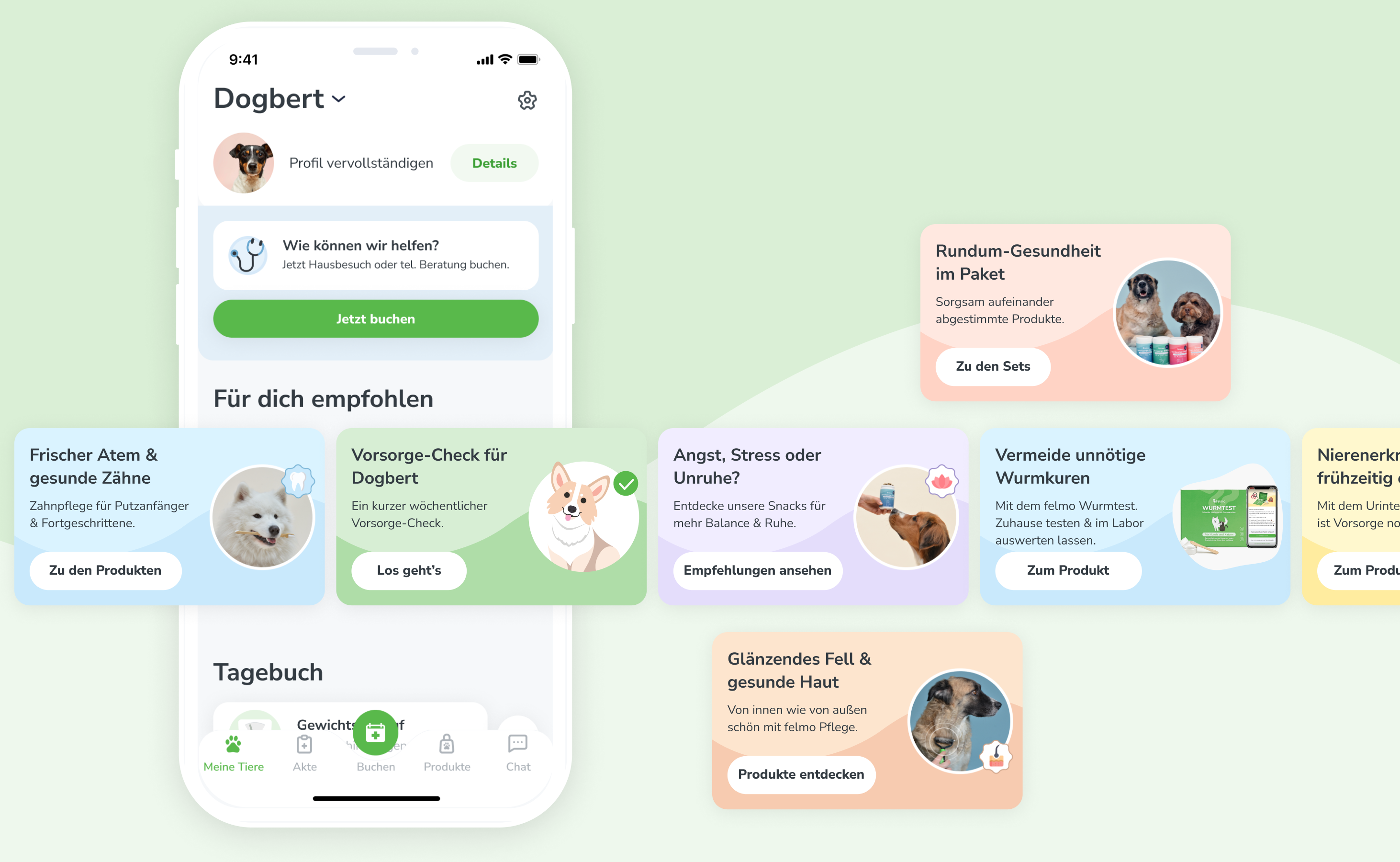
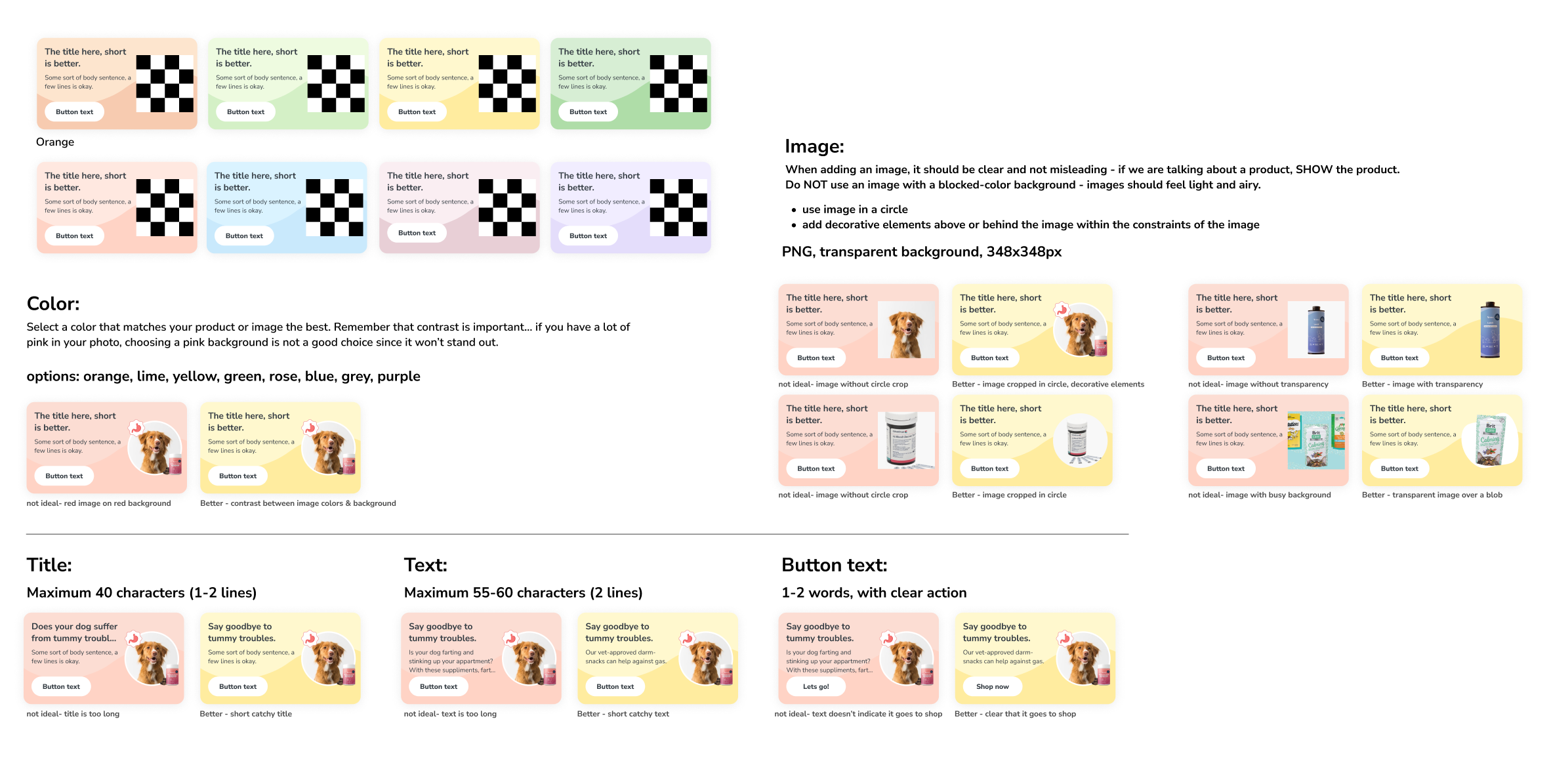
Since these cards will be created by multiple different stakeholders across the company, I created a ‘how-to’ guide for setting up images and text. They will be allowed to upload an image, chose a background color, and create the texts.
In conclusion
We rolled out phase one of the plan: and within the first couple of weeks, we already saw a handful of people clicking on the cards, and most importantly, the cards resulted in an increase in shop revenue! I can’t reveal the exact amount, but it’s a good chunk of pocket change.
Although I am happy that some people are converting, I am not happy with the low 0.04 – 0.1 % conversion rate. Because of this, we decided its time to implement phase 2 of the plan and see if we can increase the number of people interacting with the cards and completing an action.