
A redesign of the appointment booking flow
An A/B test to increase bookings at felmo through the mobile app.
Elevator-pitch style, what is felmo?
Background: appointment bookings in app
One of our main drivers is appointment bookings, so we are constantly running different A/B tests on our booking funnel to find the best formula for success.
Through analysis of our current flow, our product manager made an assumption that people are not booking appointments through the app because it is confusing and/or they don’t find what they need easily enough.
As the (only) app designer, I took this under my arm and ran with an idea that I suspected would make it easier to book appointments.
Caveat: I will show some before/afters but I will not be going deep into my process before getting to this point. My research and iteration process can be seen on other case studies.
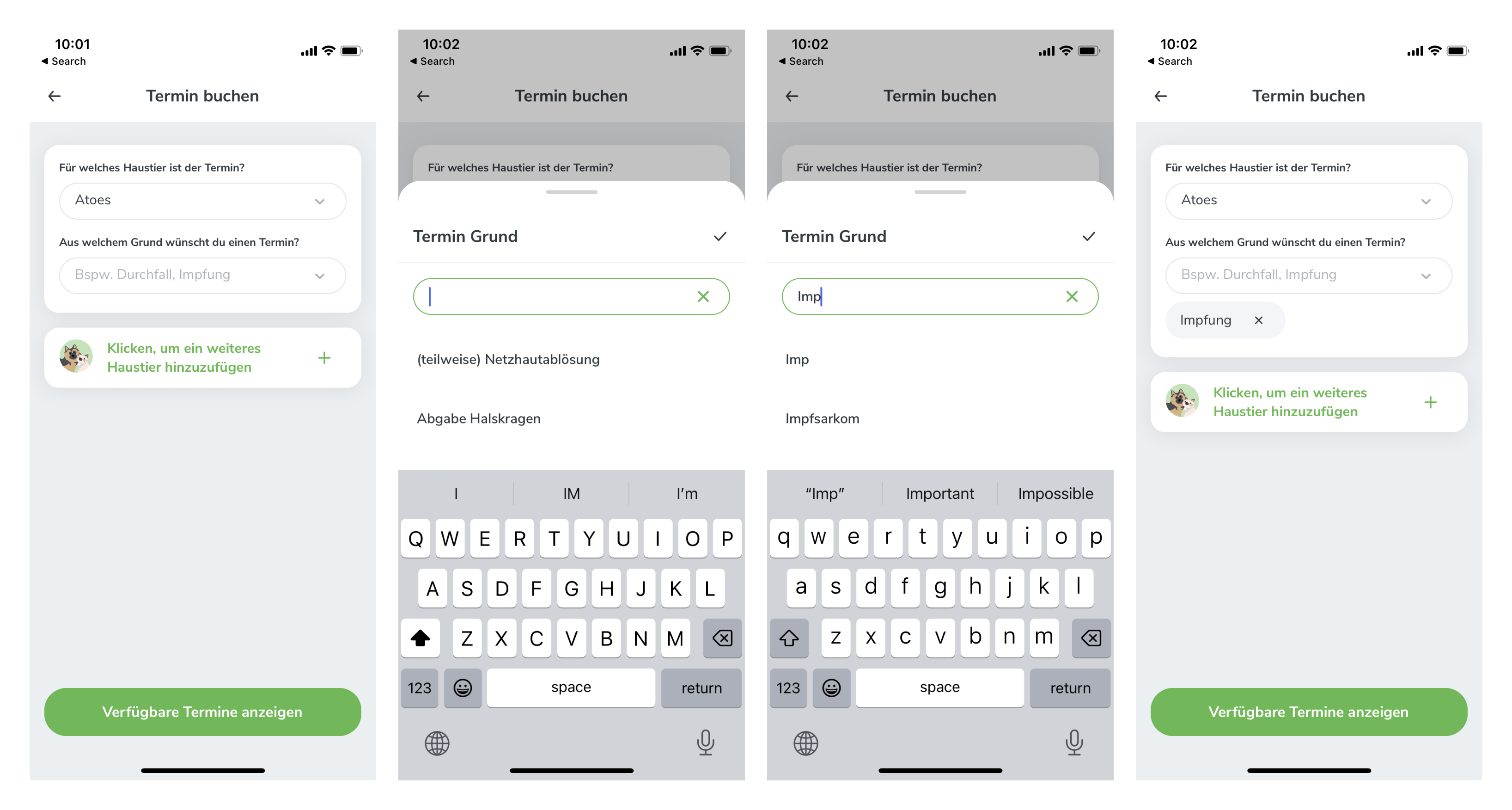
Before (control):
Redesign:
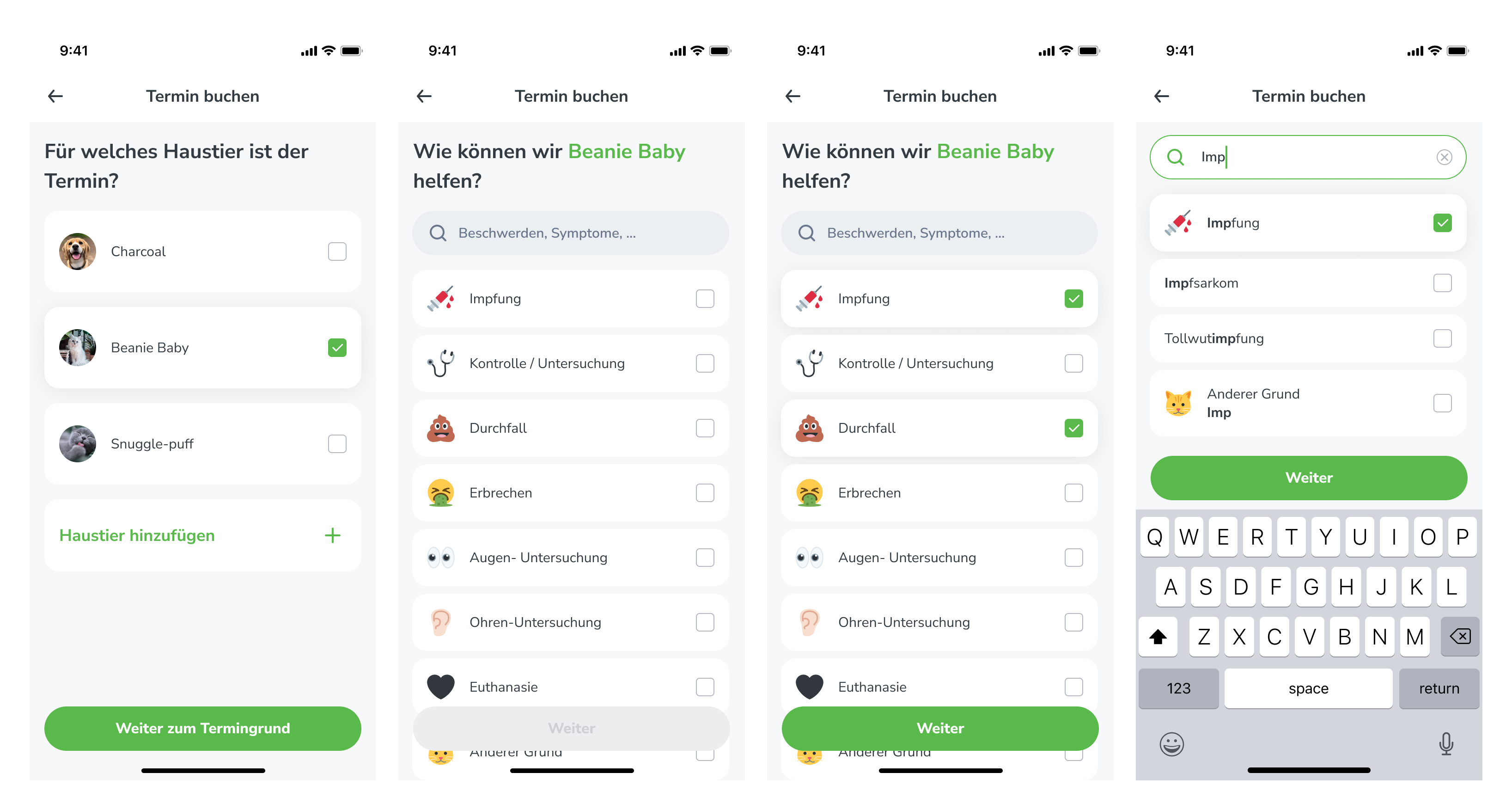
The changes:
1. Selecting multiple animals
Old (control)
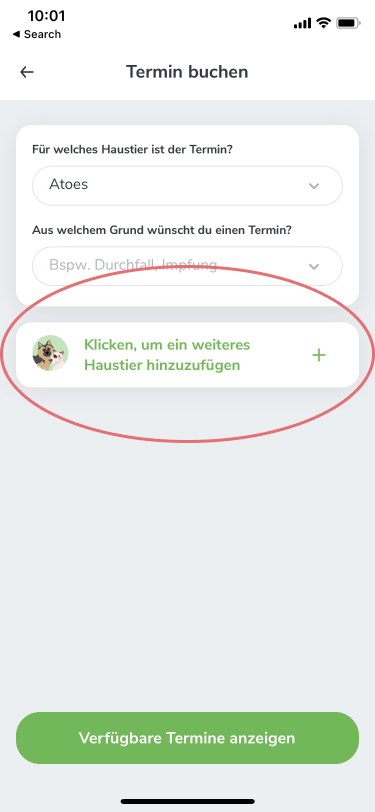
Problem: Users find it confusing when trying to book an appointment for multiple animals.
My hypothesis is that this is because there are so many pieces of information on this page which overwhelms the user, so they easily miss or skim over the action to add another animal.
Redesign
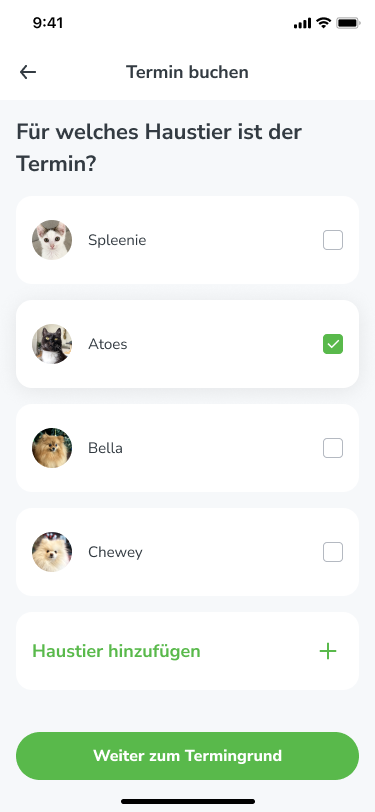
Solution: The user already might have animals added on their profile, so my idea is to rather show a list of their pets and ask which of the pets they want to treat. This solution would also reduce clutter and cognitive load because it means detaching the ‘appointment reason’ section from the ‘select animal’ selection.
2. Adding an appointment reason
Old (control)
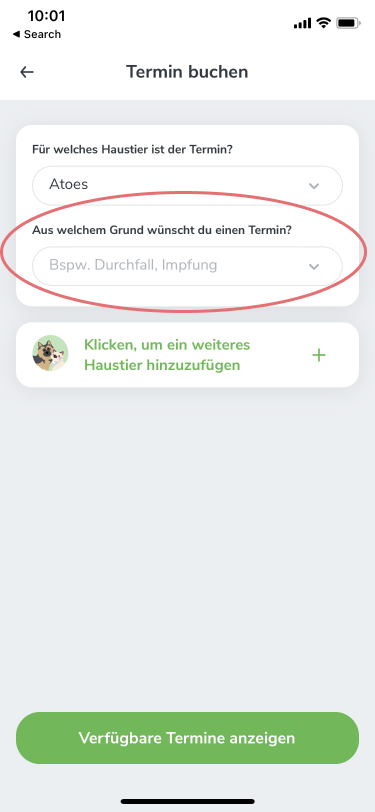
Problem: The field for adding an appointment reason is nested between clumps of information, which makes it easy to miss. The design of this field does not indicate to the user that they are able to add multiple reasons, so users might think that they are not able to book an appointment with us. Finally, by not showing a list of reasons already, they might not know what services we offer.
Redesign
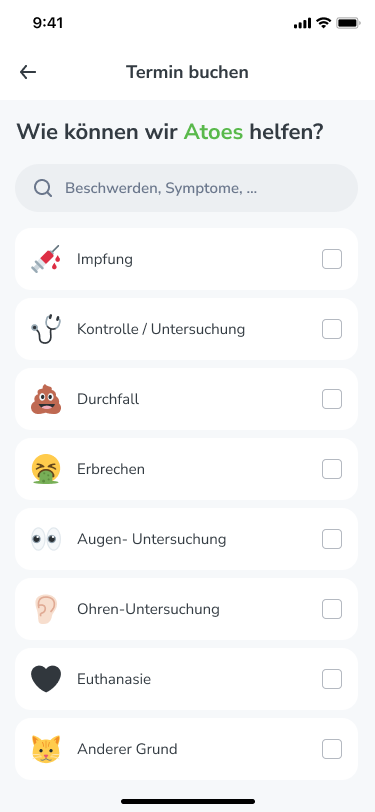
Solution: In this new version, when a user has added their animal(s), they then select the reasons per animal. We show them the most popular 7 reasons and a special custom field.
For us, having structured data is extremely beneficial for appointment planning and structuring driving times, which is why I put the emphasis on suggested reasons rather than letting the user type in just free text. However, sometimes the user does NEED to write free text, so they can do so when clicking on ‘anderer grund’.
3. Search query & custom reason
Old (control)
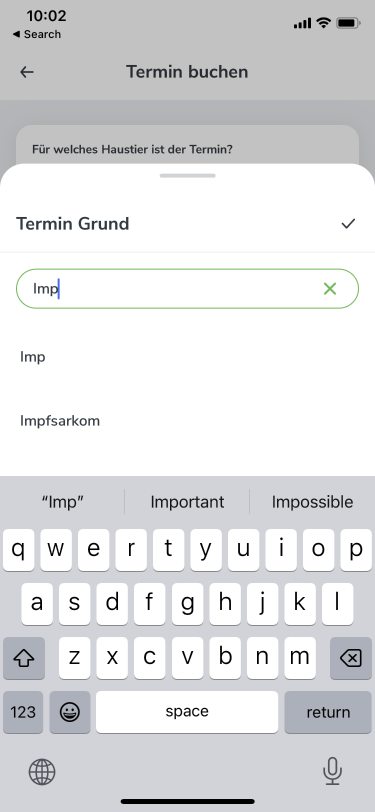
Problem: The current search function works fine, but I believe its problematic that only 1-2 results can be shown at a time. Another issue is that the ‘custom’ field (here depicted as Imp) does not initially look clear and clickable,
Redesign
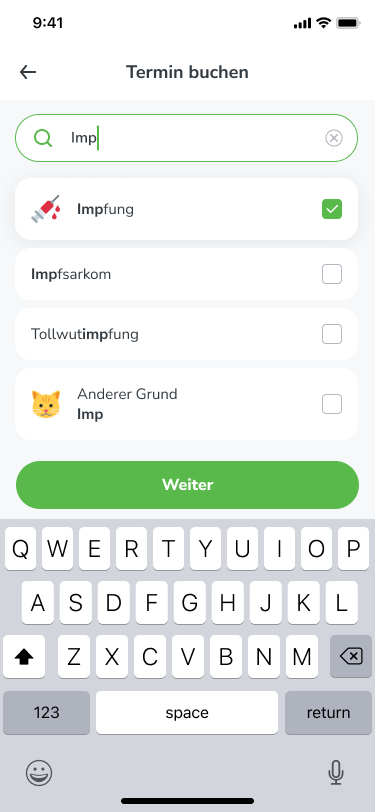
Solution: We decided to redesign the search function in hopes that it results in faster and easier searches. Users can start typing in their query and we display different reasons and symptoms from our DB.
When the user want’s to enter “free text”, it appears in the custom field. Finally, we made it possible to multi-select options.